
Make common answers easy to find
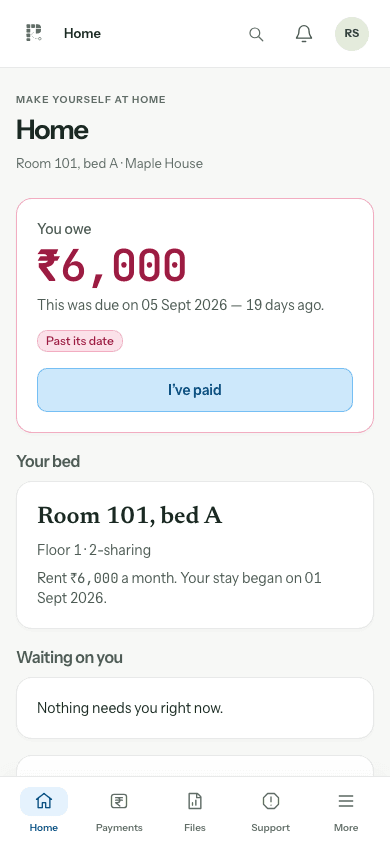
Residents often need the same few answers: what is due, which payments are recorded and what happened to a maintenance request. A personal portal gives those questions a consistent destination instead of spreading records across private chats.
- Check the resident’s own rent dues.
- View the receipts associated with their payments.
- Raise a maintenance request with the relevant details.
Set up access with the correct identity
Before inviting someone, check their contact details and resident assignment. Test with the actual tenant account rather than assuming the staff screen shows what a resident sees. Shared passwords make it harder to know who accessed a record or requested a change.
- Give each person their own account.
- Confirm the resident is linked to the correct organisation.
- Review access when a resident leaves or a staff role changes.
Keep private records in the workspace
Public marketing pages show fictional demonstration records. Actual resident documents, payment history and support requests belong behind login and permission checks. A product tour should help buyers understand the interface without exposing existing residents.
- Use account recovery if the tenant cannot sign in.
- Never publish resident IDs in a public demonstration.
- Ask for a tenant-access walkthrough during onboarding.
Questions, answered
Can a tenant see the owner’s entire workspace?
The tenant experience is intended for their own records and requests; staff and owner access is handled separately.
Does a tenant need the Android app?
No. PGonTrack also works in a browser. On iPhone it can be added to the home screen from Safari.
Who creates tenant access?
The owner or manager sets up access for the resident through the workspace.