
From a payment to a clear record
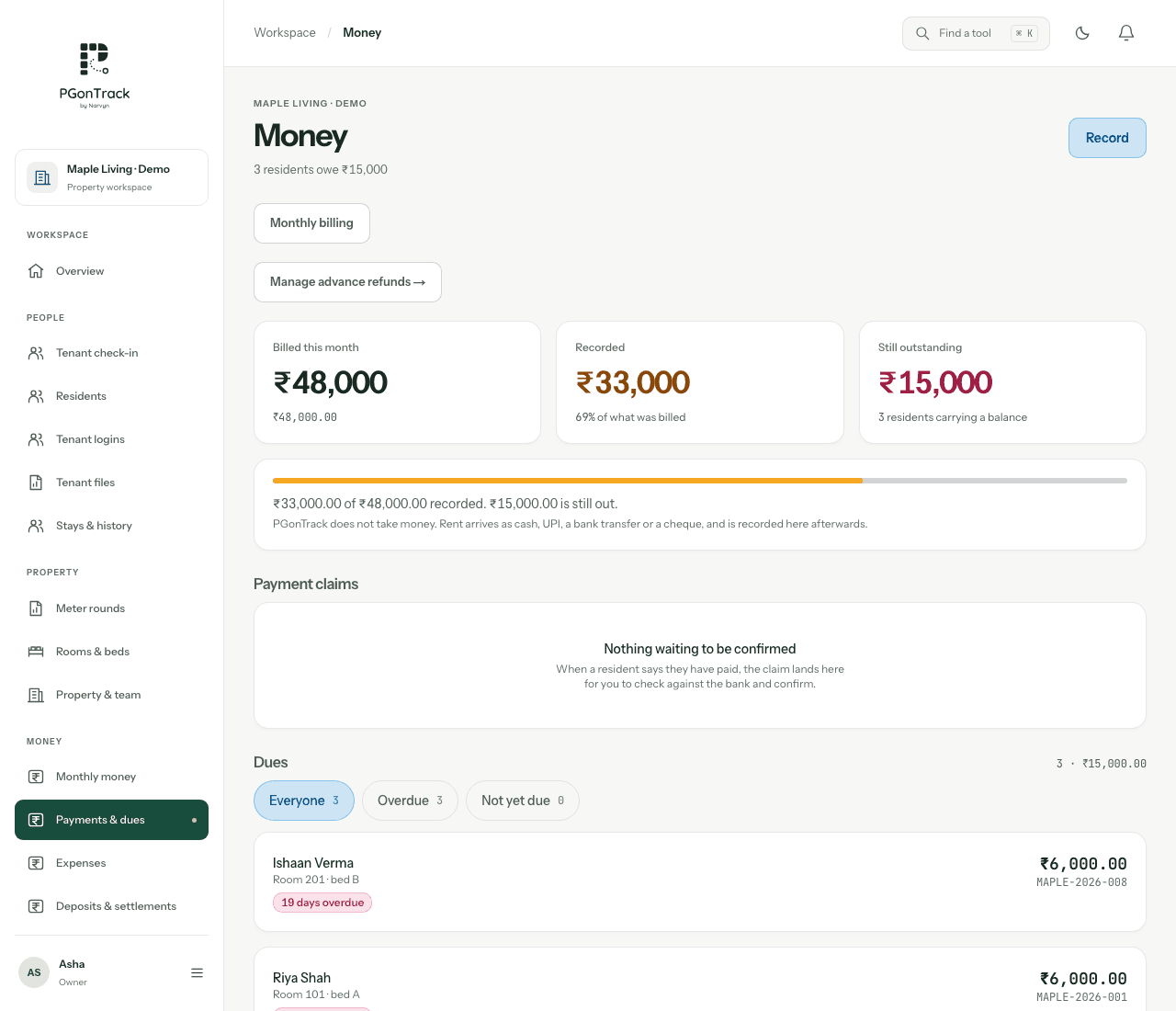
Start with the resident and the charge period. Record the amount actually received, the payment date and the method. A receipt should describe a real recorded payment, while an unpaid charge remains a due. Keeping these separate prevents a reminder from being mistaken for a payment confirmation.
- Review the resident and period before recording money.
- Use the existing cash, bank or online method through which you received the payment.
- Check the remaining balance after a partial payment.
A useful daily rent review
Review unpaid balances before contacting residents. Look at the payment history when a tenant says they already paid, and reconcile the entry against your cash records or bank statement. The system organises the record; checking settlement remains part of the manager’s work.
- Review dues and recorded receipts together.
- Send reminders only for balances that remain outstanding.
- Keep rent income separate from property expenses.
What to ask for in your demo
Bring a typical rent cycle, an advance payment and a partial-payment example. Ask to see how your actual charge rules would be configured and which person can record or review payments. Starting from ₹2,499 per month, the agreed plan and applicable taxes are confirmed with Narvyn.
- Demonstrate the owner and tenant view of the same payment.
- Check receipt details and the PDF output.
- Confirm the charge rules needed for your property.
Questions, answered
Can PGonTrack automatically debit a tenant’s bank account?
No. Record payments received through your existing methods. Automatic rent collection is not included.
Can tenants see their receipts?
Yes. With tenant access configured, tenants can view their own dues and receipts.
Is a rent reminder a receipt?
No. A reminder requests payment; a receipt documents a payment that has been recorded.