
Separate the building before the room
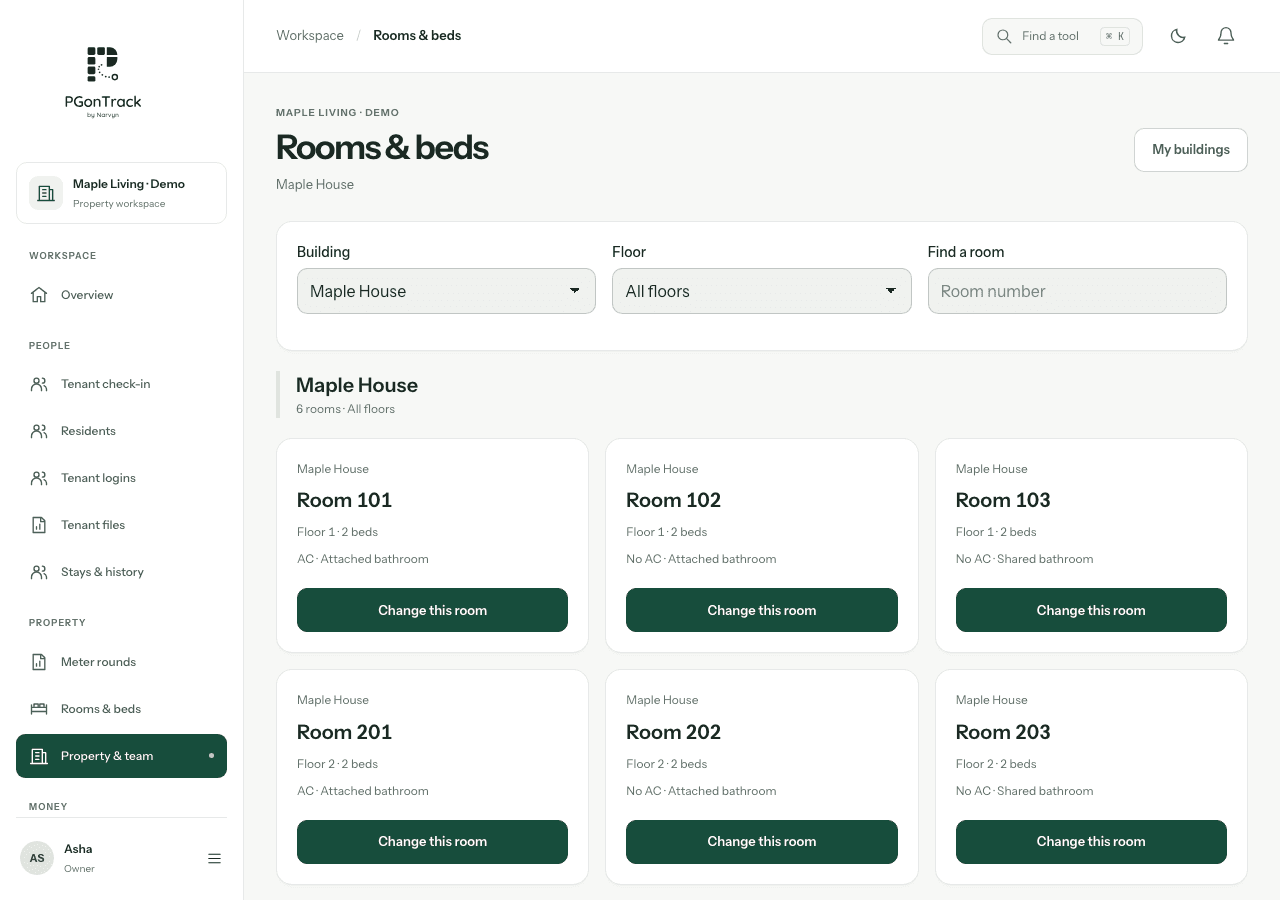
Two buildings can both contain a room called 101. The building context tells the team which one is meant. Agree names that staff and residents already recognise, then check that imported records use the same names.
- Use a consistent building name.
- Keep floors and room labels within the correct building.
- Check the building filter before interpreting availability.
Plan ownership and staff access
Multiple buildings in one organisation and separate businesses are different arrangements. Discuss the ownership structure and required access with Narvyn. A manager’s role should match their responsibilities; an owner should understand which organisation is currently open.
- List each business and the buildings it operates.
- Identify which staff work across sites.
- Demonstrate organisation selection and the intended permissions.
Test transfers and handovers
A resident move changes more than a room label. Before onboarding, demonstrate a transfer using fictional records and review the resulting occupancy and money history. Do not duplicate a resident just to represent a move without understanding the supported process.
- Check the source and destination bed.
- Review the date and any applicable rent changes.
- Confirm that staff can find the correct current record.
Questions, answered
Are buildings the same as organisations?
No. Buildings describe the property layout. An organisation is the business workspace and access context.
Can I filter rooms by building?
Yes. Building filters help you find the relevant room and availability records.
Can I assume every staff member can access every building?
No. Agree and verify the intended role and organisation access during onboarding.